City vs. Radius Targeting for Regional Meta Ads
City vs. Radius Targeting for Regional Meta Ads
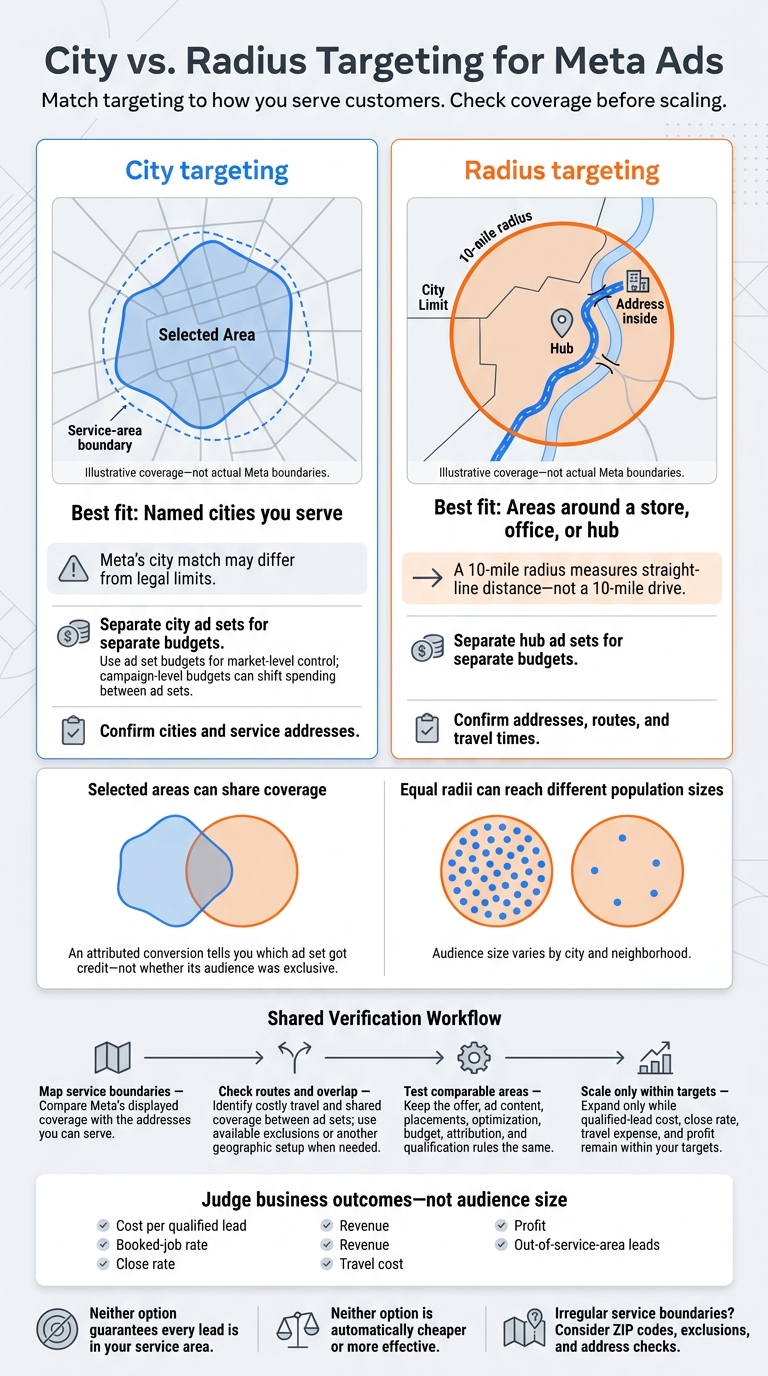
I’d choose city targeting for city-based service areas and radius targeting for distance limits around a store or hub. Before spending, I’d check Meta’s map against the addresses you can serve. A 10-mile radius measures straight-line distance - not driving distance.
Neither option guarantees that every lead is in your service area. I’d check lead addresses, travel costs, and shared coverage between ad sets, then judge results by qualified leads and revenue, not audience size.
Quick Comparison
| What I’d compare | City targeting | Radius targeting |
|---|---|---|
| Best fit | Named cities you serve | Areas around a store, office, or hub |
| Coverage | Meta’s city match may differ from legal limits | A circle that may cross city lines |
| Budget control | Separate city ad sets for separate budgets | Separate hub ad sets for separate budgets |
| Overlap | Selected areas can share coverage | Nearby circles can share coverage |
| Population density | Audience size varies by city | Equal radii can reach different population sizes |
| Service checks | Confirm cities and addresses | Confirm addresses, routes, and travel times |
My rule: <u>check coverage before scaling</u>. I’d test comparable areas with the same offer, budget, and measurement rules, then expand only while lead quality, close rate, travel costs, and profit stay within your targets.
City vs. Radius Targeting for Meta Ads
How City Targeting Works
City targeting groups people by city name, not by the area your business serves. Meta’s city match may not follow legal city limits, so check the map in Ads Manager before assigning a budget.[5][8]
Check City Boundaries in Ads Manager
In Ads Manager, open the ad set’s Audience section and search for the city. Check the location label, map, estimated audience size, and any distance ring. When available, choose “Current city only” rather than adjusting the radius. The controls vary by account, location, and campaign type.[5][9]
Compare the selected area with your service map. If it doesn’t fit, use exclusions or a different geographic setup.[5][8] Once the boundary matches your needs, decide whether each city needs its own budget.
Control Budgets by City
Cities in one ad set share a budget, but Meta doesn’t guarantee equal spending across cities. To give each market its own budget, create separate city ad sets and use ad set budgets. With a campaign-level budget, Meta can move spending between ad sets based on predicted opportunity.[6][7]
Separate cities when service costs, offers, sales capacity, or revenue potential differ by market. Group them only when service costs and conversion potential are similar. For separate markets, compare cost per lead, booked appointments, close rate, and revenue.[6][7]
If your service area follows distance rather than city lines, radius targeting is the better comparison.
sbb-itb-db0d145
How Radius Targeting Works
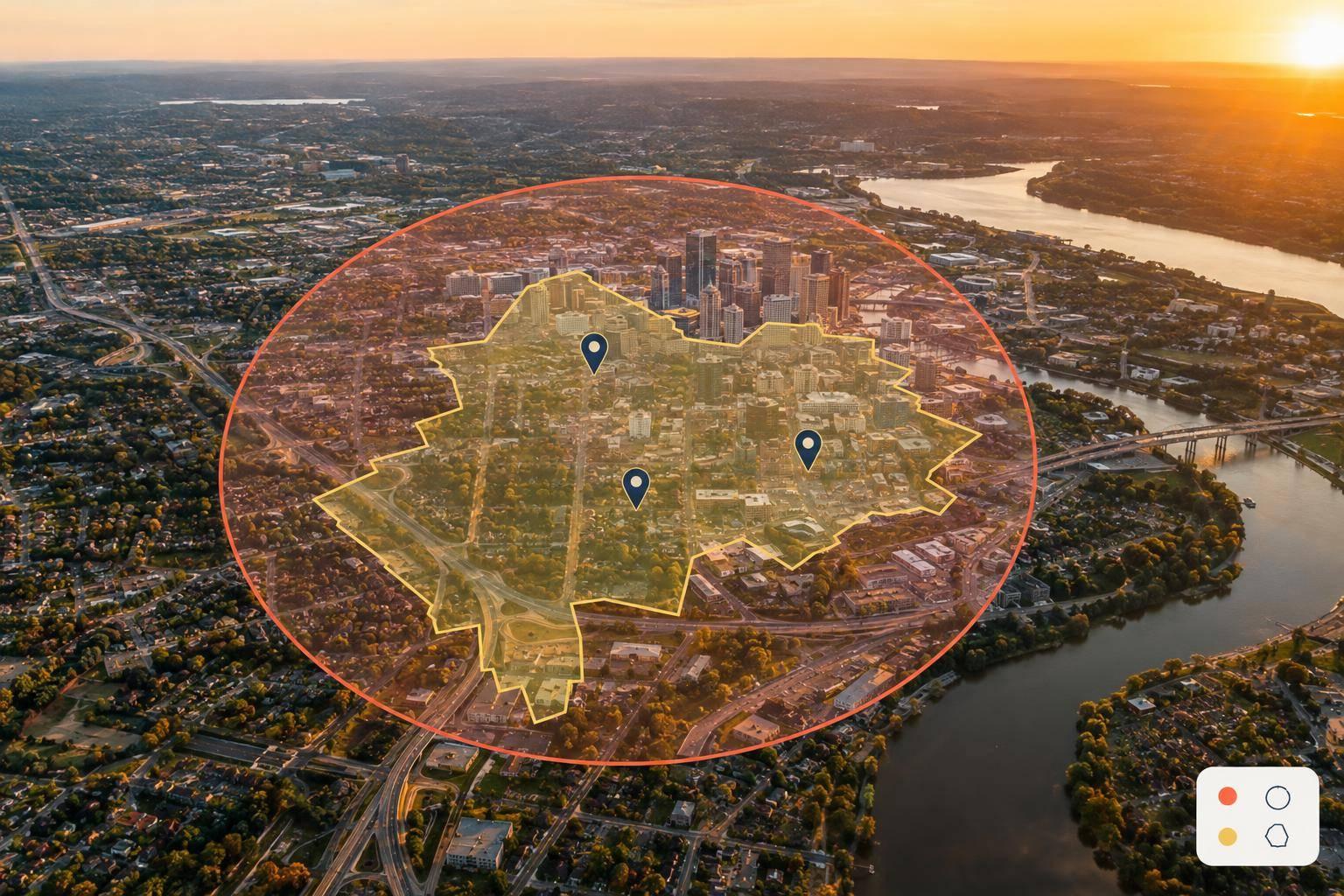
Radius targeting helps when city boundaries leave out nearby neighborhoods. It draws a circle around an address or pin so stores, clinics, and service hubs can reach communities across city lines. Meta can include both residents and recent visitors in that area, so verify service addresses before accepting bookings.[8][11]
Set Your Center and Radius in Miles
In Ads Manager’s ad-set location controls, enter an address or drop a pin at your storefront, office, or dispatch hub. Then set the radius in miles. Record the center so you can recreate the setup later.[5]
Check the map for communities you can’t serve. Radius controls vary by location type and campaign setup.
Check Travel Times and Audience Size
A 10-mile radius measures straight-line distance - not a 10-mile drive. Compare routes to addresses near the edge with your dispatch records and actual travel times. Rivers, limited bridges, traffic, and disconnected roads can make a neighborhood inside the circle too costly to serve. Use available exclusions for areas where routes limit service.[8][11]
Review Ads Manager’s estimated audience after applying your other targeting filters. That estimate isn’t a guaranteed count of qualified prospects.[13] If ad delivery is limited, test a small radius expansion - but check the added communities first.
Measure the change by cost per qualified lead, booked-job rate, revenue, and travel cost, not reach alone.[13] Use these checks to compare radius coverage with city targeting.
Compare Coverage, Overlap, and Population Density
Compare city and radius targeting against your service boundaries, shared coverage, and audience density before you split budgets.
| Criterion | City targeting | Radius targeting | What to check |
|---|---|---|---|
| Coverage shape | Follows a city boundary; useful when you serve a whole city | Follows a distance boundary around a hub; useful when service depends on distance | Match displayed coverage to your service boundaries |
| Location overlap | Can overlap nearby or adjacent selected areas | Nearby circles can overlap | Identify shared coverage across ad sets |
| Population density | Varies by city and neighborhood | Equal radii can contain very different populations | Compare audience estimates and qualified lead volume |
Verify Your Service Boundaries
Record the exact area where you sell and the area you can serve. If the map can't match those boundaries exactly, ask leads for their ZIP code or service city.[12][10]
Check for Overlap Between Ad Sets
Keep a coverage record for each ad set, including its city or hub, radius, purpose, and budget. Plot the areas together to spot shared territory.
Overlap can make budget attribution and test results harder to interpret. An attributed conversion tells you which ad set got credit - not whether its audience was exclusive.[14][15][16]
Combine largely similar areas when they use the same offer, ad content, and service rules. Keep ad sets separate when staffing, budgets, or customer economics justify the split. Use consistent labels to distinguish city targeting from hub-and-mile targeting.[15][16] Then use the overlap map to check whether those separate ad sets still serve distinct markets.
Compare Urban and Rural Audiences
Dense markets may support smaller geographic segments, while rural markets may need broader coverage. Compare qualified lead volume and cost per qualified lead over the same period, using the same qualification rules.
When to Use City or Radius Targeting
Match your targeting to how you serve customers. Choose city targeting when city names line up with how you sell and where you work. Use the table below to compare both options.
| Business situation | City targeting fit | Radius targeting fit |
|---|---|---|
| Service covers entire cities | Works when the selected area matches your coverage | Works if distance also sets service limits |
| Service has a mileage limit from a hub | May include areas beyond your mileage limit | A useful starting point; check routes and addresses |
| Multiple stores or service hubs | Works for city-based markets | Works for each location’s catchment area |
If your service boundaries are irregular, use ZIP codes, exclusions, and address checks.
Weigh Coverage and Service Costs
Use radius targeting when distance from a store, office, or hub determines where you serve customers. For mileage-based service, check travel time, route costs, and capacity - not just where an address falls on the map.
Neither option is automatically cheaper or more effective. Split budgets by city or hub only when margins, capacity, demand, or service costs differ. When those conditions are similar, extra ad sets may create more work without helping you make a better business decision.
Next, check whether your chosen setup brings in qualified leads and revenue.
Conclusion: Check Coverage Before Scaling
Before expanding, check lead addresses against licensing limits, delivery zones, and the neighborhoods your business can serve profitably. Meta may also include recent visitors or people who spend time in the area.[1]
Test Similar Service Areas
Once you’ve mapped coverage, test comparable territories only. Choose areas with similar density and service coverage. Keep the offer, ad content, placements, optimization, budget, attribution, and qualification rules the same. Where available, use Meta’s A/B testing tools to create comparable audience splits that don’t overlap.[17][18]
Measure Lead Quality and Revenue
Judge the test by business outcomes. Track CPM, frequency, conversion rate, cost per qualified lead, and the rate of leads outside your service area. When measurement is reliable, connect CRM outcomes to revenue or ROAS using the same reporting window and attribution settings.[19][20]
Separate demand effects from targeting effects before scaling. Expand one comparable city or one 5-mile radius at a time - and only while qualified-lead cost, close rate, travel expense, and profit stay within your target ranges.
Get a Regional Meta Ads Audit
Dancing Chicken offers Meta Ads consulting and account audits covering geographic structure, lead generation, and revenue tracking. An audit, however, cannot guarantee results.
FAQs
Can I combine city and radius targeting in one campaign?
Yes, you can combine city and radius targeting in a single Meta Ads campaign. In Meta Ads Manager, you can include cities, ZIP codes, and custom pins with set radii in the same audience to match your service boundaries.
You can also exclude locations to focus your budget on high-potential areas that fit your business needs and service coverage.
How long should I test each targeting option?
For regional Meta ad campaigns, review performance and adjust targeting every 2 to 4 weeks [1]. Give audience experiments or A/B tests comparing city and radius targeting 2 to 3 weeks to collect enough data [2].
Track cost per result, click-through rate, and conversion rate to compare results [1][3]. Let clear findings from the data guide budget shifts or decisions to pause underperforming locations [3][4].
How can I reduce leads from outside my service area?
Use the Exclude feature in Meta Ads Manager’s locations section to remove cities, ZIP codes, or regions you don’t serve. This keeps your ad spend focused on your service area.
For radius targeting, adjust the radius around your pin to match your service coverage more closely and limit ad visibility outside those boundaries.