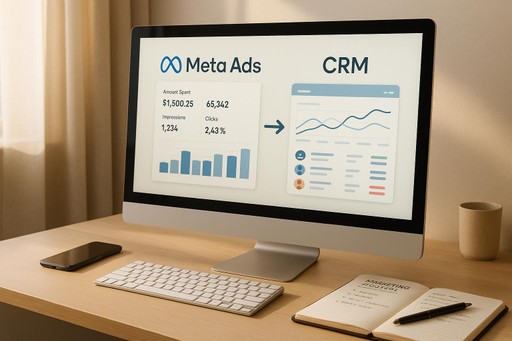
How Form Validation Boosts Lead Quality
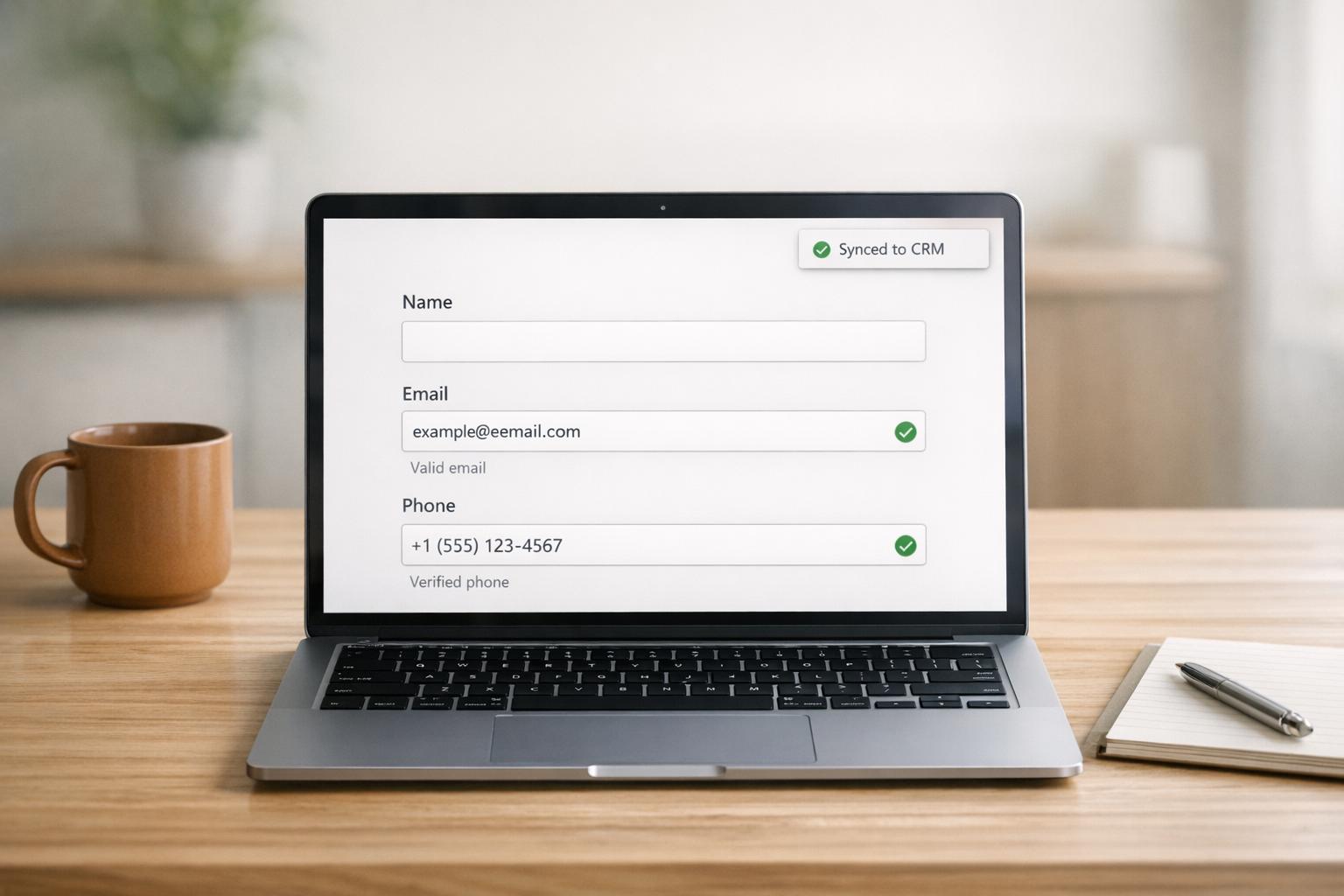
How Form Validation Boosts Lead Quality
Form validation ensures the data you collect is accurate, useful, and free of errors. By verifying emails, phone numbers, and other inputs in real-time, you can:
- Prevent bad data (15–30% of leads are often invalid or fake).
- Save time for sales teams (20–30% of their time is wasted chasing bad leads).
- Improve lead conversion rates (validated leads convert 2–3 times more often).
- Avoid legal risks, like TCPA penalties ($500–$1,500 per violation).
Here’s how it works: Form validation catches errors like typos, fake emails, and inactive phone numbers before they enter your system. Techniques like inline validation, email/domain checks, and phone verification ensure the data is correct from the start. Tools can even block bots and disposable emails to protect your campaigns.
For businesses, this means higher-quality leads, lower costs, and better results from marketing efforts. Plus, by combining client-side and server-side validation, you get both instant feedback for users and secure data handling.
Bottom line: Strong form validation isn’t optional - it’s a must-have for keeping your CRM clean, your team efficient, and your marketing dollars well spent.
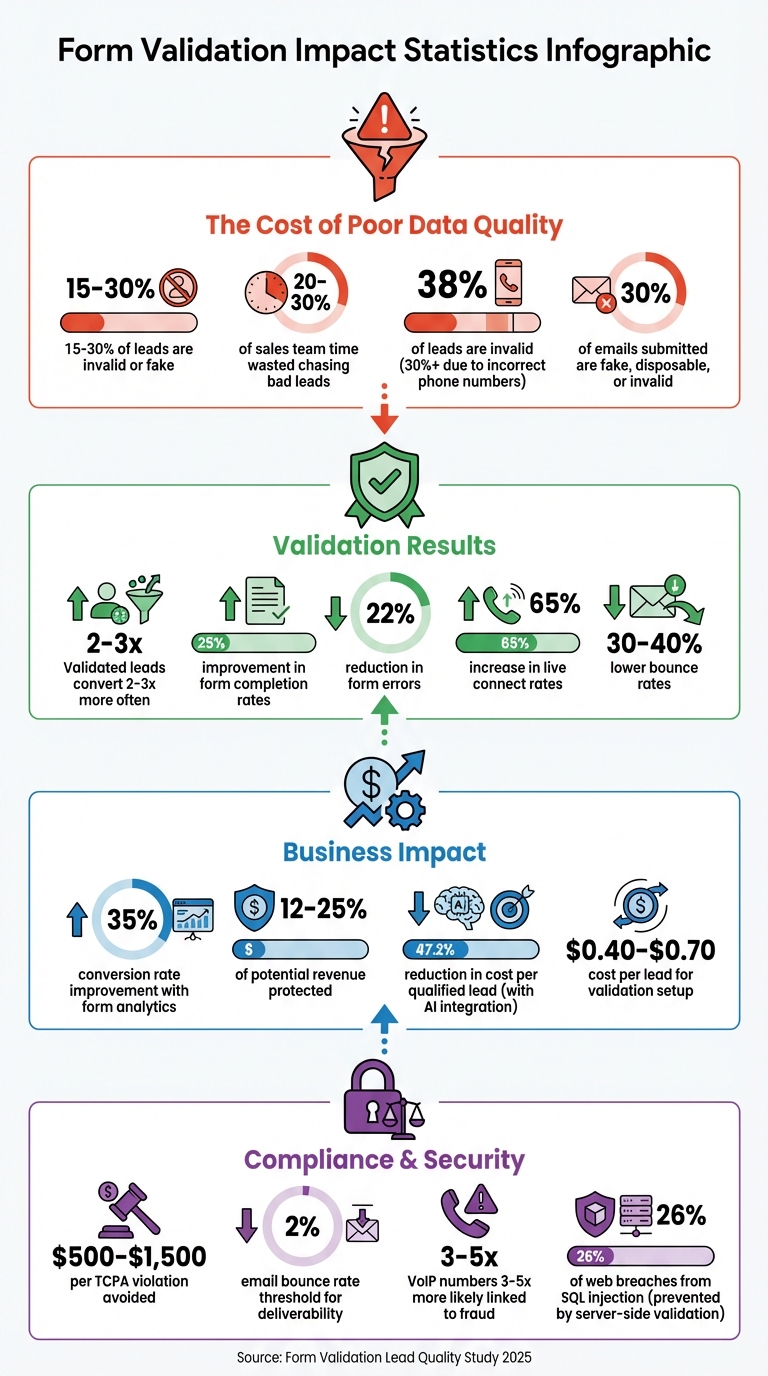
Form Validation Impact on Lead Quality: Key Statistics and ROI
Main Types of Form Validation Techniques
Validation techniques generally fall into three main categories, each designed to catch different types of errors before they can make their way into your CRM. These methods are crucial for filtering out invalid or fraudulent data, ensuring only accurate and reliable information is collected.
Inline Validation
Inline validation provides immediate feedback to users as they input data or move between fields. Instead of waiting until the user submits the form to display a list of errors, this method flags issues in real time.
This technique addresses many of the factors behind the nearly 70% of form abandonments [6]. By allowing users to correct errors while their focus is still on the task, inline validation can improve form completion rates by 25% and reduce errors by 22% [7]. However, it’s important to show error messages only after users have finished typing or exited a field. Displaying errors too early - like when a user first clicks into an empty field - can frustrate users [5].
Additionally, inline validation often works hand-in-hand with email and domain validation to ensure the accuracy of contact details.
Email and Domain Validation
Email validation ensures that addresses submitted through forms are real, deliverable, and formatted correctly. This process involves checking for an "@" symbol, verifying that the domain exists, and performing an SMTP check to confirm the mailbox can receive messages [9][1]. This step is critical for ensuring the quality of your leads.
Around 30% of emails submitted through forms are fake, disposable, or invalid [8]. Without validation, these bad addresses can lead to bounces, which harm your sender reputation. Even a bounce rate as low as 2% can negatively affect your email deliverability [8][1]. For B2B companies, restricting personal email domains like Gmail or Yahoo can also help ensure leads are tied to professional identities, which is especially important for account-based marketing [10][2].
"Email validation isn't just a technical checkbox. When 20-30% of collected email addresses contain errors, typos, or intentional fakes, the cost of skipping validation compounds fast." – Erwann Lefevre, La Growth Machine [9]
Real-time validation can also catch common typos (like "gamil.com" instead of "gmail.com") and suggest corrections. This helps preserve legitimate leads while blocking fake entries, which can prevent ad platforms like Meta from optimizing campaigns based on junk traffic [8].
Phone Number and Field Validation
Phone validation involves more than just checking the number of digits. A robust process includes multiple steps, such as format checks using regex, normalizing numbers to the E.164 international standard (e.g., +1 415-555-1234), carrier verification, and filtering for compliance with Do Not Call lists [11][13].
Studies reveal that 38% of leads are invalid, with over 30% of these issues stemming from incorrect phone numbers [12]. Proper phone validation can increase live connect rates by 65% and lower bounce rates by 30–40% [12][11]. Carrier lookups verify whether a number is active and identify its type (e.g., mobile, landline, or VoIP). Since VoIP numbers are 3–5 times more likely to be linked to fraud [1], flagging them early can protect your campaigns. For high-value leads, One-Time Password (OTP) verification via SMS can confirm ownership of the number. However, this extra step may slightly reduce conversion rates [12][10].
This multi-step approach ensures that only accurate and reachable numbers make it into your lead database, reducing wasted effort and improving campaign performance.
sbb-itb-db0d145
How to Implement Form Validation
Implementing form validation effectively requires a two-layer approach: client-side validation for immediate feedback and server-side validation for robust security. This combination ensures that errors are caught early while protecting your database from malicious or corrupted data. Even if browser-based checks are bypassed, the server acts as a safety net, securing your system from harmful inputs [17]. Together, these layers create a strong foundation for accurate data collection and high-quality leads.
Client-Side vs. Server-Side Validation
Client-side validation occurs directly in the user's browser, offering instant feedback to improve the user experience. Basic HTML5 attributes like required, type="email", or pattern for regex checks can handle many common cases without needing additional JavaScript. For a smoother experience, use JavaScript to validate inputs on 'blur' (when the user leaves a field) to avoid overwhelming them with premature error messages. The Constraint Validation API provides a useful middle ground, allowing you to enhance native browser validation without building everything from scratch [15].
Server-side validation, on the other hand, is essential for advanced checks and securing your database. This includes verifying email addresses, sanitizing inputs, and preventing vulnerabilities like SQL injection - responsible for 26% of web application breaches in 2024 [17]. For example, you can use prepared statements and sanitization functions to treat all user input as untrusted. For dynamic validations, such as checking username availability, AJAX can communicate with the server without requiring a full page reload.
Consistency between client-side and server-side rules is crucial. If your frontend enforces an 8-character password minimum but your backend expects 10, users may face confusing errors upon submission [17]. Additionally, clear validation messages can significantly boost form completion rates by 10–20% [14], while inline feedback has been shown to reduce errors by 22% and cut completion times by 42% [17].
Using Progressive Profiling and Conditional Logic
Progressive profiling simplifies lengthy forms by breaking them into smaller, more manageable steps. Instead of overwhelming users with 16 fields upfront, you might start by asking for just their name and email. Then, during subsequent interactions, you can gather additional details like their role or company size. This step-by-step approach can dramatically increase completion rates [20]. For instance, Eaton Corporation used progressive profiling with Oracle's Marketing Cloud in 2025 to collect 5,000 new prospects, each with 48 data points - exceeding their goal by 276% [18].
Conditional logic takes this a step further by tailoring follow-up questions based on user input. For example, if a user selects "Enterprise" as their company size, you might ask about procurement processes, while skipping that question for "Small Business" respondents. This creates a more conversational and relevant experience rather than a rigid form. To avoid errors or dead ends, it's wise to visually map out these branching paths before coding [19].
For Meta Ads campaigns, using the "Higher Intent" form type with a review step can help filter out low-quality leads by reducing accidental submissions. While this may result in 20–40% fewer total submissions, the data collected is more aligned with campaign goals [16]. By combining these strategies, you not only improve data quality but also create a smoother user experience, setting the stage for better performance measurement in the next section.
Measuring the Impact of Form Validation on Lead Quality
Tracking the effectiveness of form validation is crucial. Companies that utilize form analytics see conversion rates improve by 35% [21]. Without proper measurement, it’s impossible to know if your validation rules are enhancing or hindering lead quality. To get started, focus on the metrics that directly show how your rules impact lead quality.
Key Metrics to Monitor
Certain metrics provide clear insights into how well your form validation is working:
- Error Rate: Aim for less than 5%. If your error rate climbs above 15%, it’s time to investigate. Anything over 30% indicates major usability issues. For perspective, improving field validation can eliminate nearly 45% of form errors [21][23][24].
- Field Refocus Rate: This tracks how often users click back into a field to fix something. High rates might signal unclear instructions or overly strict validation rules [21].
- Field-Level Interaction Time: If users spend much longer on a specific field (e.g., 45 seconds on a phone number field instead of 10 seconds), it suggests issues with formatting or unclear requirements [21].
- Email Bounce Rate: A high bounce rate means your form isn’t catching fake, disposable, or mistyped email addresses. For B2B campaigns, also monitor the ratio of business to personal email domains (e.g., @company.com vs. Gmail). Poor email validation can cost businesses up to 25% of their potential revenue [2].
- Lead-to-Opportunity Conversion Rate: This metric ties form behavior to business outcomes. It examines how form interactions - like time spent, error corrections, or field completion - translate into qualified leads and eventual sales [22].
- Form Start vs. Completion Rate: A low completion rate often points to friction, such as overly complex or intimidating required fields [21][23].
| Metric | Purpose for Lead Quality | Target Benchmark |
|---|---|---|
| Error Rate | Identifies technical friction | < 5% [21] |
| Email Bounce Rate | Measures accuracy of contact data | Minimal (near 0%) [2] |
| Field Refocus Rate | Highlights unclear or strict rules | Low/Minimal [21] |
| Form Start Rate | Gauges form appeal and ease of use | > 70% for simple forms [21] |
Using Form Analytics Tools
Once you’ve identified the right metrics, analytics tools can help pinpoint issues and guide improvements.
- Google Analytics 4: Track custom events like
form_start,field_focus, andvalidation_errorto gain detailed insights into user behavior [21]. - Heatmaps and Session Recordings: Tools like Hotjar and Crazy Egg reveal user interactions, showing exactly where users struggle with your form design or validation messages [26].
- Specialized Form Builders: Platforms such as Growform or Orbit AI come with built-in analytics to identify friction points without needing custom coding. For example, you can compare users who abandon forms versus those who complete them to see if specific validation rules are causing drop-offs [21][22][23][25].
"Form analytics transform optimization from guesswork into a data-driven science." - Michael T, Product Designer [21]
Pay close attention to mobile users, who often face more challenges with strict validation due to smaller screens and tap targets. For instance, a phone number field might show a 28% error rate on mobile compared to just 8% on desktop [21][24]. Session recordings can highlight where users encounter repeated errors and abandon the form entirely [22].
To measure improvements, start by collecting baseline data from at least 100–200 submissions [21][23]. After implementing changes, compare the results to see if your validation updates are making a difference. Regular monitoring ensures that your efforts are effective and that your lead quality continues to improve over time.
Advanced Validation for Meta Ads Campaigns

When it comes to Meta Ads, every validated lead plays a crucial role in improving cost efficiency. By fine-tuning Meta's algorithm to recognize high-quality prospects, advanced validation strategies can significantly enhance the overall quality of your leads.
Integrating AI-Powered Lead Qualification
AI-powered lead qualification takes the focus beyond sheer volume, zeroing in on conversion quality. These AI systems engage with leads immediately after form submission, asking key qualifying questions about factors like budget, timeline, or specific needs. Only leads that meet your criteria are routed to human agents, saving time and resources [27]. This builds on earlier validation methods, ensuring that only the most promising leads make it through.
The real game-changer? Feeding this qualification data back to Meta through the Conversions API (CAPI). For example, in August 2025, JU Productions implemented respond.io's AI-driven qualification system and linked it with Meta’s CAPI. By prioritizing qualified outcomes over sheer message volume, they saw a 47.2% reduction in cost per qualified lead [27].
"Meta doesn't send bad leads. It sends the leads your setup teaches it to send." - respond.io [27]
Dancing Chicken also uses AI-powered lead qualification, combining intelligent filtering with real-time feedback. This ensures that campaigns focus on finding people who are likely to convert - not just those who click on ads.
Leveraging Real-Time Analytics Dashboards
Once AI has qualified your leads, real-time analytics become essential for fine-tuning campaign performance. These dashboards allow marketers to make quick adjustments by identifying issues and opportunities as they arise. One key metric to track is speed-to-lead, as leads contacted within 5 minutes are nine times more likely to convert than those contacted after 30 minutes [16]. Your dashboard should monitor this response time and highlight performance differences across ad sets to ensure the best results.
Dancing Chicken’s real-time analytics dashboard, offered in their Growth plan for $1,500/month, provides a detailed look at metrics like ROAS and cost-per-conversion for each ad set. This allows marketers to reallocate budgets quickly, focusing on the segments that deliver the best returns.
Additionally, using manual entry for critical fields in Meta's Instant Forms can boost data accuracy and improve contact rates by as much as 50% [16]. To further filter out low-intent users and bots, Meta’s "High Intent" settings - complete with review screens and SMS verification - add an extra layer of protection before these leads cost you money [28][29].
Conclusion
Form validation isn't just a technical necessity - it's your frontline defense against wasted marketing dollars. Without it, a staggering 15–30% of your leads may contain invalid or fraudulent data, draining resources and frustrating your sales team [1]. On the flip side, validated leads convert at 2–3 times the rate of unvalidated ones, and poor lead quality can slash 12–25% of your potential revenue [1][2].
Beyond the immediate gains, validation sets the stage for long-term growth. It keeps your CRM clean, ensuring your sales team focuses on reachable, high-intent prospects. This not only boosts efficiency but also rebuilds trust between marketing and sales by aligning on what qualifies as a good lead. Considering that 73% of marketers say unreliable data actively damages their pipeline, this alignment is critical [2].
Quality data drives better decisions. Accurate lookalike audiences, improved retargeting performance, and reliable forecasting all stem from clean, verified data rather than bot submissions [3]. And the cost? A modest $0.40 to $0.70 per lead for a comprehensive validation setup - a small price to pay for eliminating operational waste [4].
Whether you're running Meta Ads campaigns like Dancing Chicken or managing leads across channels, layered validation techniques turn raw submissions into a dependable revenue stream. Start with real-time verification at the point of entry, then add behavioral analysis to catch more sophisticated fraud. This combination of real-time checks and deeper analysis underscores the guide's key takeaway: maximizing lead quality creates a competitive edge. The result? Protected margins and stronger, lasting customer relationships [4].
FAQs
What validation checks should I add first for better lead quality?
Start with required field validation to make sure all critical fields, such as contact information, are filled out correctly. Incorporate real-time checks for verifying email addresses and phone numbers to weed out fake or incorrect entries. Adding lead qualification questions can also help pre-screen submissions by assessing factors like needs, decision-making authority, or timeline. These measures improve the accuracy and relevance of the data you collect.
How do I reduce fake or bot leads without hurting conversions?
To cut down on fake or bot leads while keeping conversions steady, try using form validation techniques. This could include verifying details like phone numbers, email addresses, or physical addresses. Real-time tools such as SMS verification, CAPTCHA, or conditional logic are also effective at filtering out unreliable submissions.
Another smart move is shifting from native Meta lead forms to dedicated landing pages. These pages allow for better validation processes and auditing of leads through follow-up checks via phone or email. This approach helps ensure you're getting high-quality leads without compromising the user experience.
Which metrics prove form validation is improving lead quality?
When form validation is done right, it directly improves lead quality. Some key metrics that highlight this improvement include a noticeable drop in fake or invalid submissions, more precise lead data, and a boost in conversion rates. For instance, implementing effective validation measures can result in a 22% increase in conversions and a 40% reduction in errors. These numbers clearly show how validation enhances both the accuracy of your data and the overall success of your lead generation efforts.