Winning Meta Ads: From Test Results to Next Versions
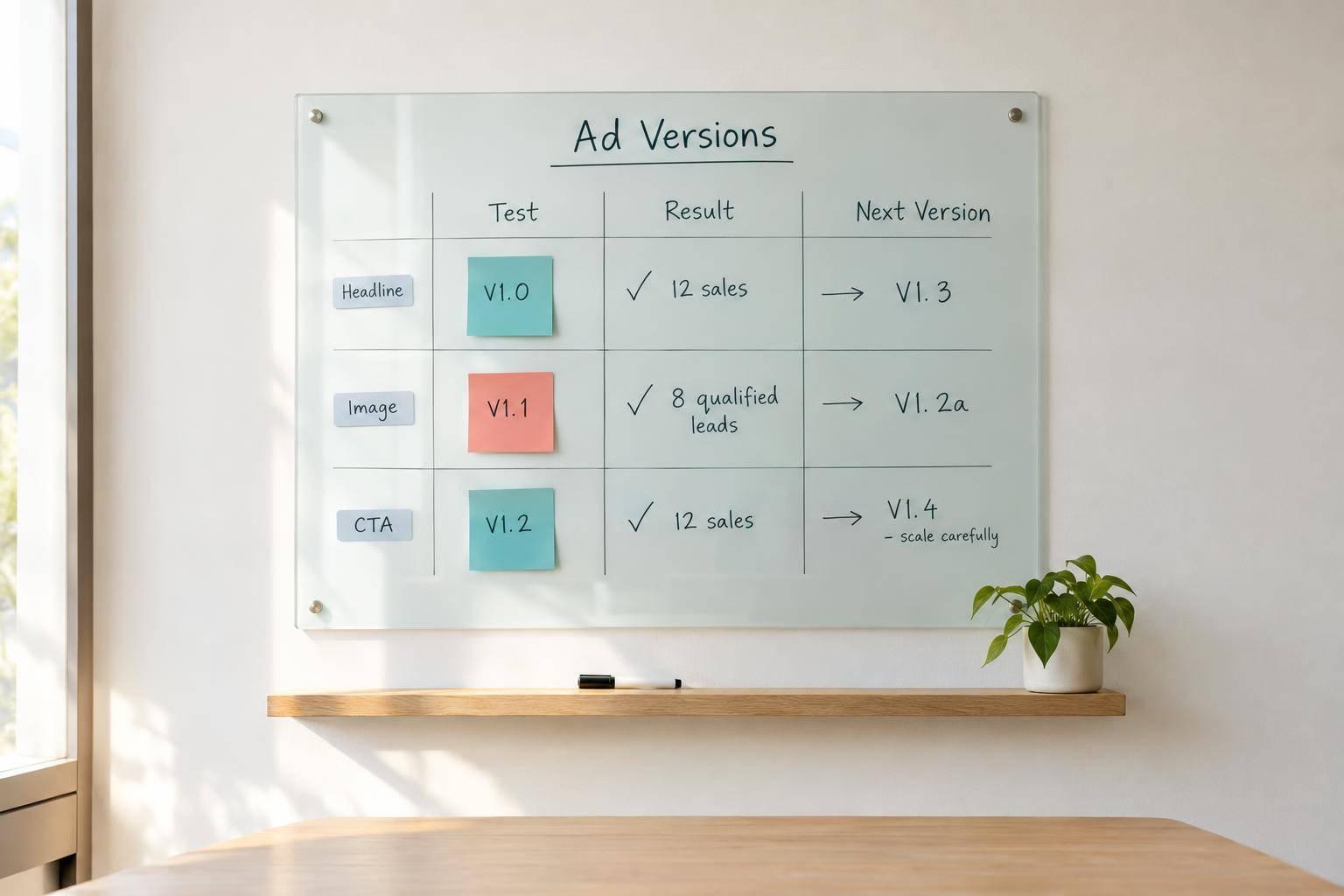
Winning Meta Ads: From Test Results to Next Versions
Judge Meta Ads tests by profitable sales or qualified leads - not clicks alone. Keep the winning ad unchanged, test one change at a time, and check tracking and conversion delays before choosing the next step.
Turn each result into a clear plan:
- Record and decide: Log the setup, budget, goal, and results. Then scale, revise, retest, or retire the change.
- Plan the next version: Note what the test proved, choose one variable, and check past failures before production.
- Save and share: Name each version, preserve original assets, and share weekly lessons with an owner and review date.
- Track scaling separately: Log budget changes and check whether sales, lead quality, and margins hold as spending grows.
A winning ad proves the combination worked - not that every part caused the win.
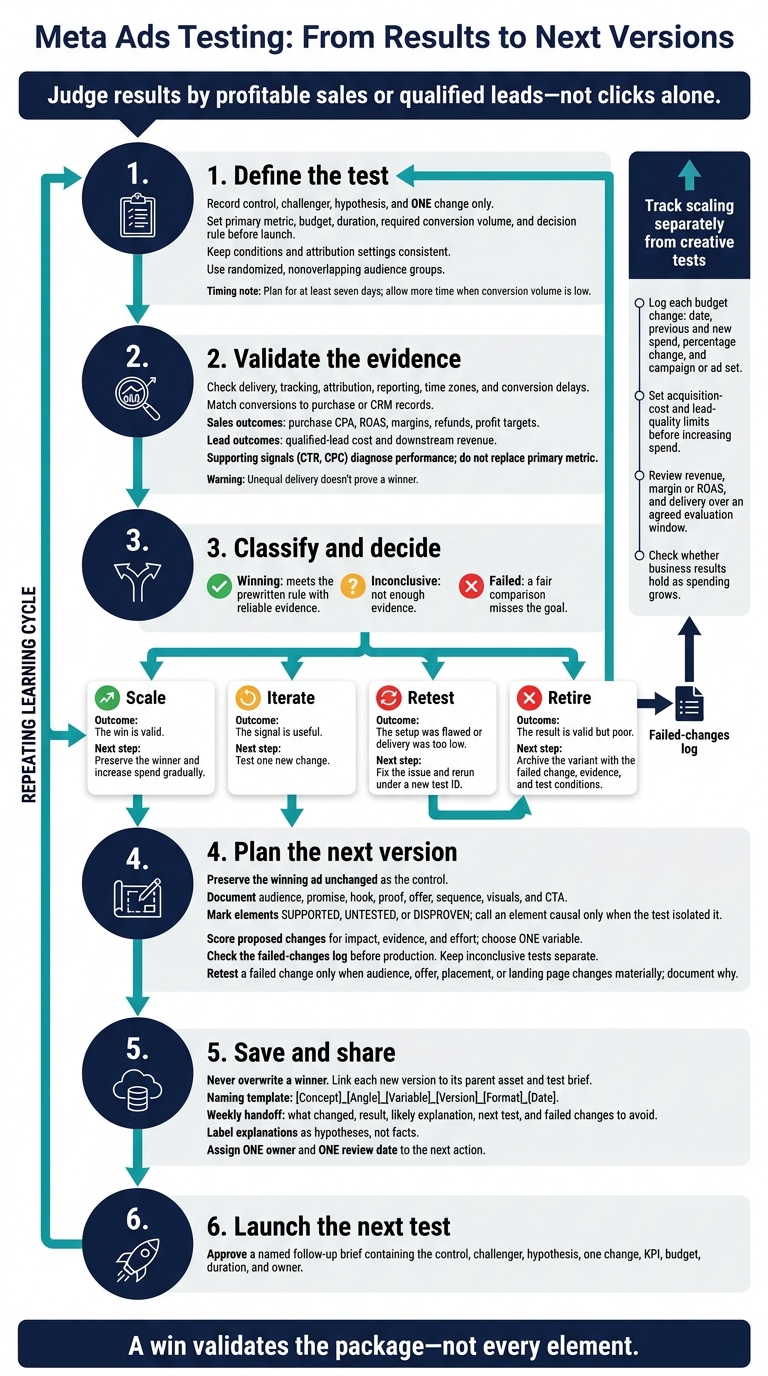
Meta Ads Testing: From Results to Next Versions
1. Record Tests and Review Results
Start with a brief to scale your Meta ads with a clear next step. It should help you make the next decision fast - and back it up with evidence.
Write a Test Brief Before Launch
Use this compact template for every test:
- Test ID: a distinct reference.
- Launch date/time: MM/DD/YYYY, time, and time zone.
- Setup: campaign/ad set names, objective, placements, audience targeting, exclusions, and whether it’s prospecting or retargeting.
- Optimization event: the event Meta should optimize for.
- Timing and budget: daily or lifetime budget in dollars, planned duration, earliest review date, and required conversion volume.
- Ad version: creative, copy, and destination URL.
- Hypothesis: why the change should improve results.
- Tested variable: one change only.
- Primary metric.
- Supporting signals.
- Decision rule: required improvement and quality safeguards.
Keep everything except the tested variable as consistent as practical, including attribution settings. Use Meta’s A/B testing tools to create randomized audience groups that don’t overlap. Standard delivery can favor one ad, so unequal delivery doesn’t prove a winner.[2][3] Plan for at least seven days, and allow more time when conversion volume is low.[4][5]
Check Delivery, Tracking, and Business Results
A valid result should help you take action and inform your next test brief.
Before comparing performance, check each version’s active dates, spend, impressions, reach, frequency, CPM, and learning status. Audit Pixel and Conversions API events, deduplication, UTM parameters, landing-page function, attribution settings, reporting dates, and time zones.
Record the export time and allow for reporting lag. Then match conversions to purchase or CRM records. If tracking broke or the landing page went down, you can’t draw a sound comparison.
For sales, review purchase CPA or customer acquisition cost, ROAS, margins, refunds, and profit targets. For leads, focus on qualified-lead cost and downstream revenue - not just form fills.
Use link CTR, CPC, early video attention, landing-page view rate, and conversion rate to diagnose weak results. These signals help explain performance, but they don’t replace the primary metric.
Classify results as winning when they meet the prewritten rule with reliable evidence, inconclusive when there isn’t enough evidence, or failed when a fair comparison misses the goal. Don’t use a universal spending cutoff. The evidence you need depends on conversion volume, baseline costs, margins, and test design.
Once the data is clean, decide whether to scale, iterate, retest, or retire.
Choose Whether to Scale, Iterate, Retest, or Retire
Record spend, conversions, CPA, revenue, and quality first. Label explanations as hypotheses, not facts.
| Action | Outcome | Next step |
|---|---|---|
| Scale | The win is valid. | Preserve the winner and increase spend gradually. |
| Iterate | The signal is useful. | Test one new change. |
| Retest | The setup was flawed or delivery was too low. | Fix the issue and rerun under a new test ID. |
| Retire | The result is valid but poor. | Archive the variant with the failed change, evidence, and test conditions. |
If the winner holds, document its elements before building the next version.
sbb-itb-db0d145
2. Review Winning Ads and Plan Follow-Up Tests
Document the Winning Ad’s Elements
A winning ad validates the whole combination - not each element on its own. Use it as the control for your next test. Attach this worksheet and an exported Meta report to its record.
Mark each element as supported, untested, or disproven. Only call an element causal if the test isolated it. Otherwise, keep it as part of the winning package, not a proven reason for the win.[1][6]
| Element | Supporting evidence | What stays fixed |
|---|---|---|
| Audience | Customer need and targeting | Customer problem and audience |
| Promise | Exact claim and substantiation | Promised outcome |
| Hook | Opening words and frames; isolated test result, if available | Opening |
| Proof | Testimonial, demonstration, or data | Proof and placement |
| Offer | Price, incentive, and terms | Offer |
| Sequence | Order of hook, promise, proof, and offer | Message order |
| Visuals | Assets, format, presenter, setting, and length | Execution outside the chosen variable |
| CTA | Wording and landing-page connection | CTA and destination |
Use this breakdown to pick the next test - not to rebuild the entire ad.
Choose One Change to Test
Use the documented winner as your control. Score each proposed change for impact, evidence, and effort, then test the highest-scoring idea against the primary metric. Keep lower-scoring ideas in the backlog.
Before production, record the control, the single variable, the primary metric, the expected lift, the test window, and the decision rule.[9]
Once a concept delivers a reliable business result, test its execution separately. Compare a founder with a customer presenter, an office with a field setting, a 10-second with a 20-second video, or vertical video with a static image. A winning hook test doesn't tell you which presenter or format works best.[6][7]
Check Failed Changes Before Production
After choosing a variable, check whether it has already failed under the same conditions. Review the failed-changes log before approving any brief so you don't retest a known loser without a reason.
For each rejected change, record its parent version, audience, offer, placement, dates, spend, conversion volume, metrics, test conclusion, and rejection reason. Link the original asset and test brief to the record. Add searchable tags such as “problem-hook” and “prospecting,” and keep inconclusive tests separate.
Retest a failed change only when the audience, offer, placement, or landing page changes materially. Before production begins, document what changed and why it warrants another test.[1][6][8]
3. Name Versions, Share Lessons, and Track Scaling
When a test wins, save the original asset, give the next edit a new version, and share the results before increasing spend.
Name Ad Versions and Keep Original Assets
Use
[Concept]_[Angle]_[Variable]_[Version]_[Format]_[Date], such asProductDemo_TimeSaved_Hook_V03_9x16_2026-11-25.[10][11]
Keep field order and spelling consistent across campaigns, ad sets, ads, creative files, and testing records.
Never overwrite a winner. Add a version for meaningful creative changes - not routine exports. Link each version to its parent asset, test brief, production brief, and winning conditions.
Keep the planned filename date unchanged and record the actual launch date separately. Use YYYY-MM-DD in filenames, MM/DD/YYYY in reports, and U.S. dollar amounts for budgets. Log every status change with a timestamp, owner, and reason.
Share a Weekly Test Summary
Make the shared log or dashboard your weekly handoff record. Stick to the same fields each week: what changed, result, likely explanation, next test, and failed changes to avoid. Label explanations as hypotheses, not facts.
Link the performance report, evidence, asset versions, and approved production brief. Give the next action one owner and one review date.
Share the summary with media buyers to guide delivery decisions and production teams to show the exact approved change. For business stakeholders, report lead quality, revenue, and margin - not just clicks.
Keep creative results separate from scaling results in the weekly summary.
Track Performance as Spend Increases
Log budget increases separately from creative tests. For each budget change, record the date, previous and new spend, percentage change, and campaign or ad set.
Before increasing spend, set acquisition-cost and lead-quality limits. Review those limits over an agreed evaluation window. Monitor revenue, margin or ROAS, delivery volume, CPM, frequency, CTR, and conversion rate.
Check results by placement, audience, device, and daypart. Rising frequency paired with falling response can flag fatigue. A winning ad at one spending level may not hold up at a higher budget.
If tracking or production gaps slow scaling, fix them before increasing spend.
Conclusion: Record, Decide, Build, and Share
Close each test cycle by recording the result and decision based on qualified leads, revenue, or profit - not clicks alone. Note what the test proved and what it didn’t. A win validates the package, not every element.
Use that evidence to shape the next version. Choose one change for the challenger, check whether that change failed under similar conditions, and keep the control, asset version, and test log. Share the decision so the next brief carries the lesson forward.
Turn the record into a named follow-up brief that includes the control, challenger, hypothesis, one change to test next, KPI, budget, duration, and owner.
FAQs
How can I test Meta ads with a small budget?
Test one variable at a time - a headline, image, or call-to-action - and start with a clear hypothesis. Use Meta Ads Manager’s A/B testing tool to split your budget evenly.
Run each test for 4–7 days, with enough budget to reach a statistically significant sample. Keep targeting broad enough to support the test. Record every result, including failures, in a testing log so you don’t repeat unsuccessful changes and can put your budget toward proven optimizations.
What if my winning ad stops performing?
First, check whether audience fatigue or saturation is hurting performance. Look for falling click-through or conversion rates and rising costs per acquisition.
Let your testing log guide your next move. Rather than making sweeping changes, test one variable at a time - the headline, image, or call-to-action - to see whether it restores performance. Changes can reset Meta’s learning phase, so plan carefully and monitor results for at least one week.
How do I prioritize conflicting test results?
Check for statistical significance, ideally at a 95% confidence level, and make sure your sample size is large enough. If the results are still unclear, break them down by demographics or user behavior - such as new versus returning visitors - to spot patterns.
Focus on business impact, like revenue or cost per acquisition, rather than vanity metrics. If the results remain unclear, document what you found and refine your hypothesis for the next test using variations that differ more clearly.